
Obsidian is a powerful knowledge management tool that allows users to create, link, and visualize notes in a private, Markdown-based environment. It’s designed for thinkers, writers, and researchers who value flexibility, privacy, and long-term data ownership.
Obsidian
A flexible and private notes app designed to sharpen your thinking and organize knowledge.
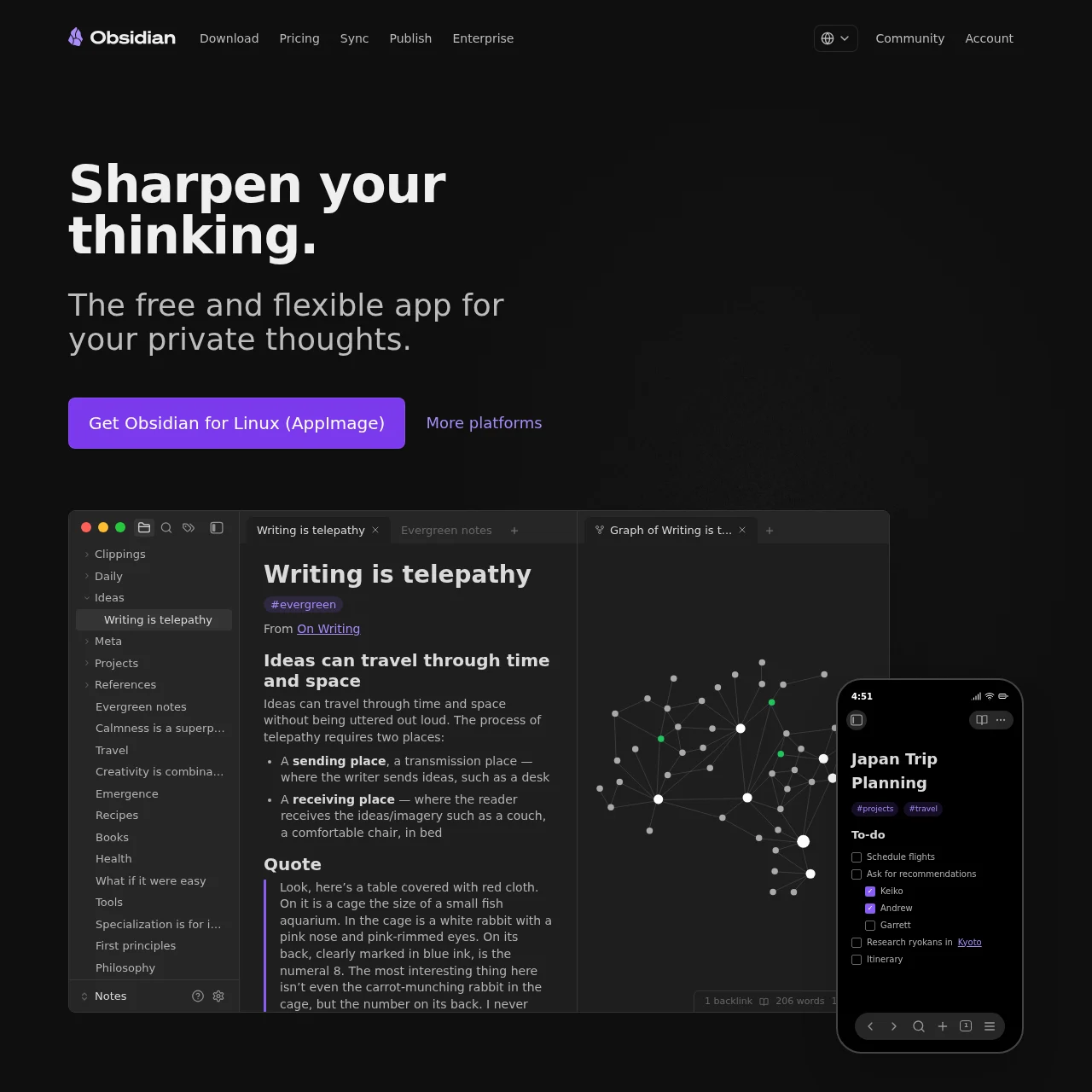
What is Obsidian?
Key Features
Private Notes
All notes are stored locally on your device with optional end-to-end encrypted sync for privacy-conscious users.
Note Linking
Effortlessly connect ideas by linking notes, creating a dynamic web of knowledge akin to a personal Wikipedia.
Graph View
Visualize the relationships between notes with an interactive graph, revealing hidden connections in your thinking.
Plugin Ecosystem
Customize your experience with thousands of community plugins, tailoring Obsidian to your workflow.
Markdown Support
Write and format notes using Markdown, ensuring compatibility and future-proofing your data.
Publishing
Turn your notes into a public knowledge base or digital garden with Obsidian Publish.
Use Cases
- • Personal Knowledge Base: Organize research, ideas, and references in a structured yet flexible system for easy retrieval.
- • Academic Research: Link sources, annotations, and drafts to build a cohesive understanding of complex topics.
- • Project Management: Use kanban plugins and task trackers to manage projects directly within your notes.
- • Journaling: Maintain private daily notes or journals with tags and links for reflection and growth.
- • Collaborative Writing: Share and collaborate on documents securely with team members using selective sync.
FAQs
1. Is Obsidian free to use?
Yes, Obsidian is free for personal use with optional paid features like Sync and Publish.
2. Where are my notes stored?
Notes are stored locally on your device by default, ensuring privacy and offline access.
3. Can I use Obsidian on multiple devices?
Yes, with Obsidian Sync (paid) or third-party services like Dropbox.
4. Does Obsidian support collaboration?
Yes, through shared vaults and selective sync for team-based workflows.
5. What file format does Obsidian use?
Notes are saved as plain text Markdown files, ensuring long-term accessibility.
6. Are there mobile apps for Obsidian?
Yes, Obsidian offers mobile apps for iOS and Android with full functionality.
7. Can I publish my notes online?
Yes, with Obsidian Publish, you can turn your vault into a public or private website.
Information
- Websiteobsidian.md
- Published date2026/03/12